OneDrop

For resellers who list the same piece more than once

List it once.Post it where it can sell.

OneDrop keeps the photos, the size, the condition, and the price you type. Then it sends that one record to eBay, Depop, Mercari, Poshmark, Vinted, Etsy, and Grailed. eBay goes out through their seller API. The other marketplaces open in your browser. You press Post.

25 active listings and 25 AI drafts a month. No card.

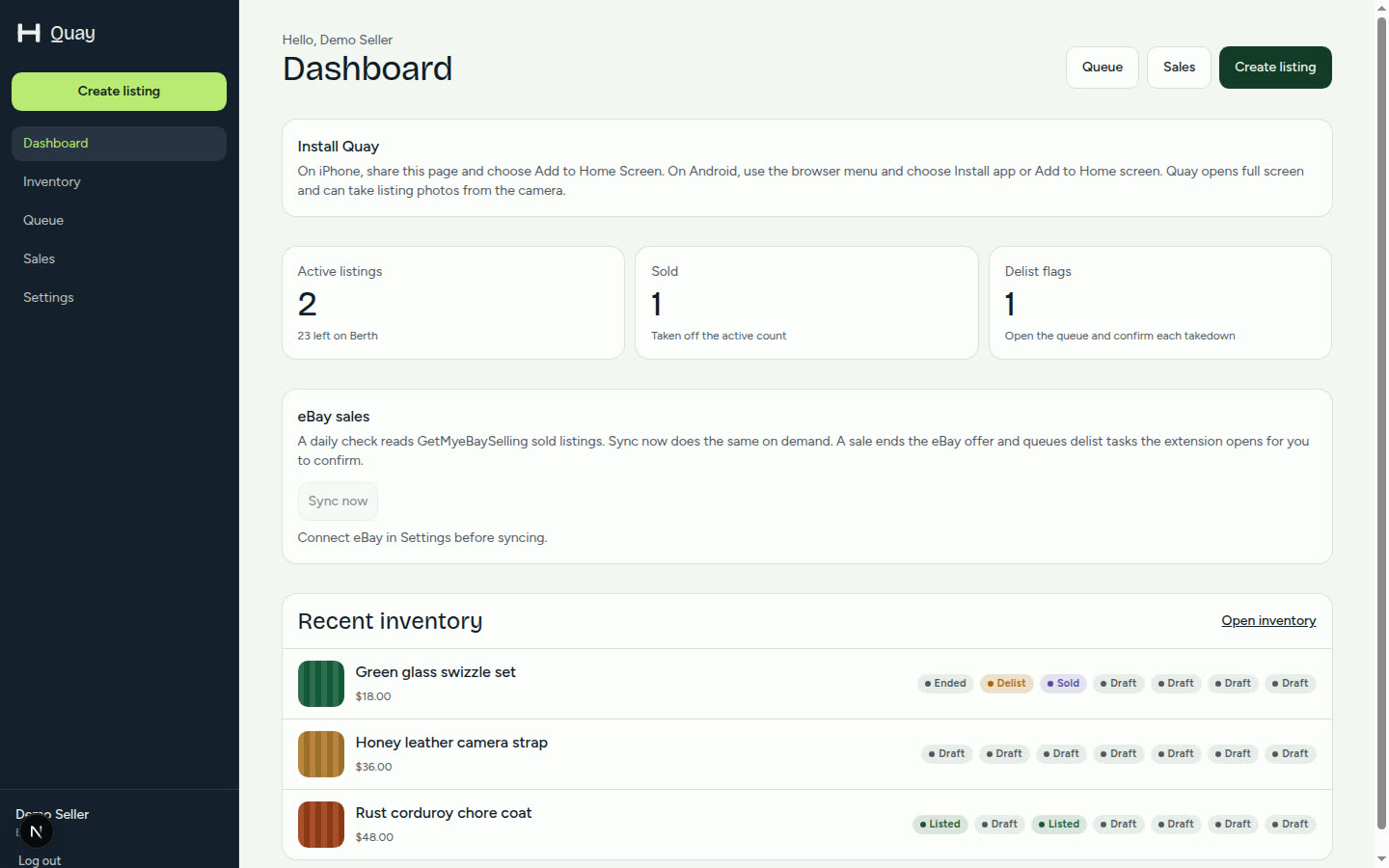
OneDrop dashboard with inventory totals and Sync now
Inventory first. Then post to marketplaces.
  • eBaySeller API
  • DepopYou press Post
  • MercariYou press Post
  • PoshmarkYou press Post
  • VintedYou press Post
  • EtsyYou press Publish
  • GrailedYou press Post

What the inventory actually does

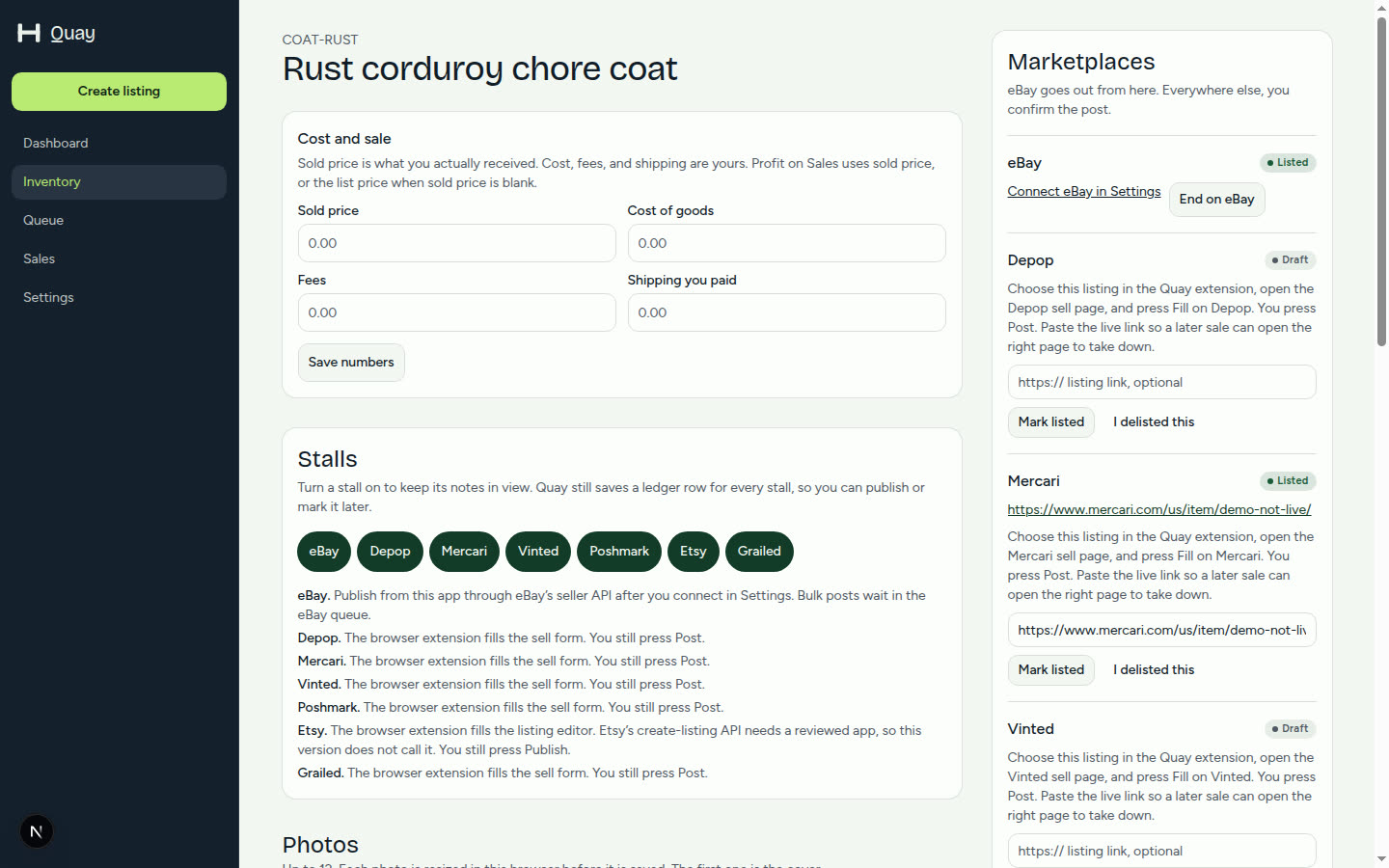
The screens below are the app: inventory, a listing, the photo editor, sales, and items to remove.

Drafts

A first draft from the photos

The model reads the pictures you already took and suggests a title, a description, and a condition. You fix the brand, the size, and the flaws. The price field stays empty until you type it.

  • Up to four small photos per draft
  • Free includes 25 drafts a month
  • No invented sold price
OneDrop listing form with photos, title, and the draft button

After the sale

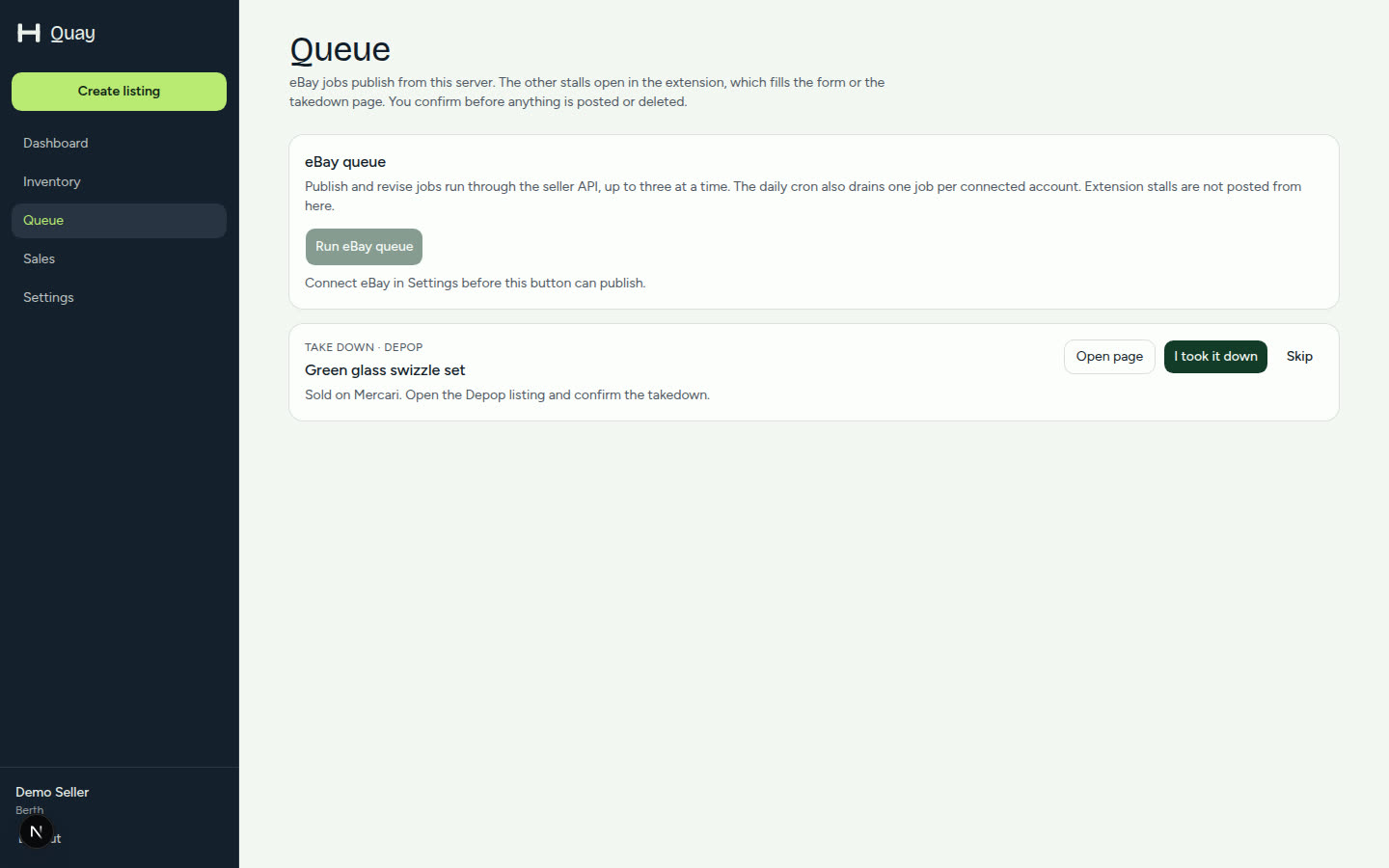
Remove from other sites

When a sale lands, OneDrop ends the eBay offer through eBay’s API and lists the other marketplaces as items to remove. The extension opens the listing. You confirm. OneDrop does not press delete on its own.

  • eBay sold check once a day, or Sync now
  • Other marketplaces wait for you
  • You still press Post on a new listing
OneDrop queue with an item waiting to be removed from another marketplace

Several at once

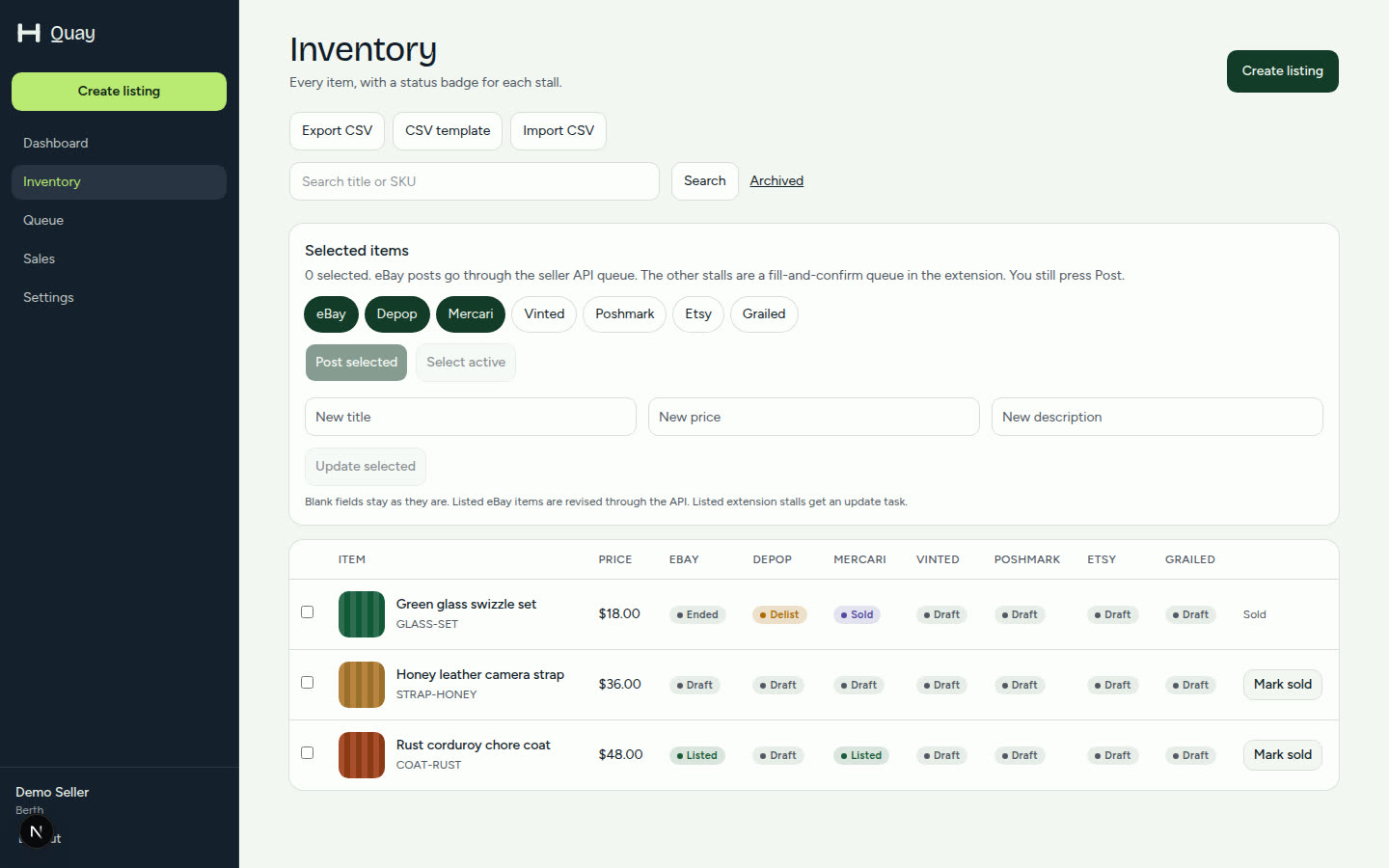
Post to marketplaces and edit in bulk

Select rows in the inventory, then send them to the marketplaces you choose. eBay publishes from a short background queue. The other marketplaces open as fill-and-confirm tasks. Edit a price or a title across the same selection.

  • Up to 25 rows in one pass
  • eBay revise through the API
  • Extension sites stay confirm-first
OneDrop inventory table with marketplace status and bulk actions

Pictures

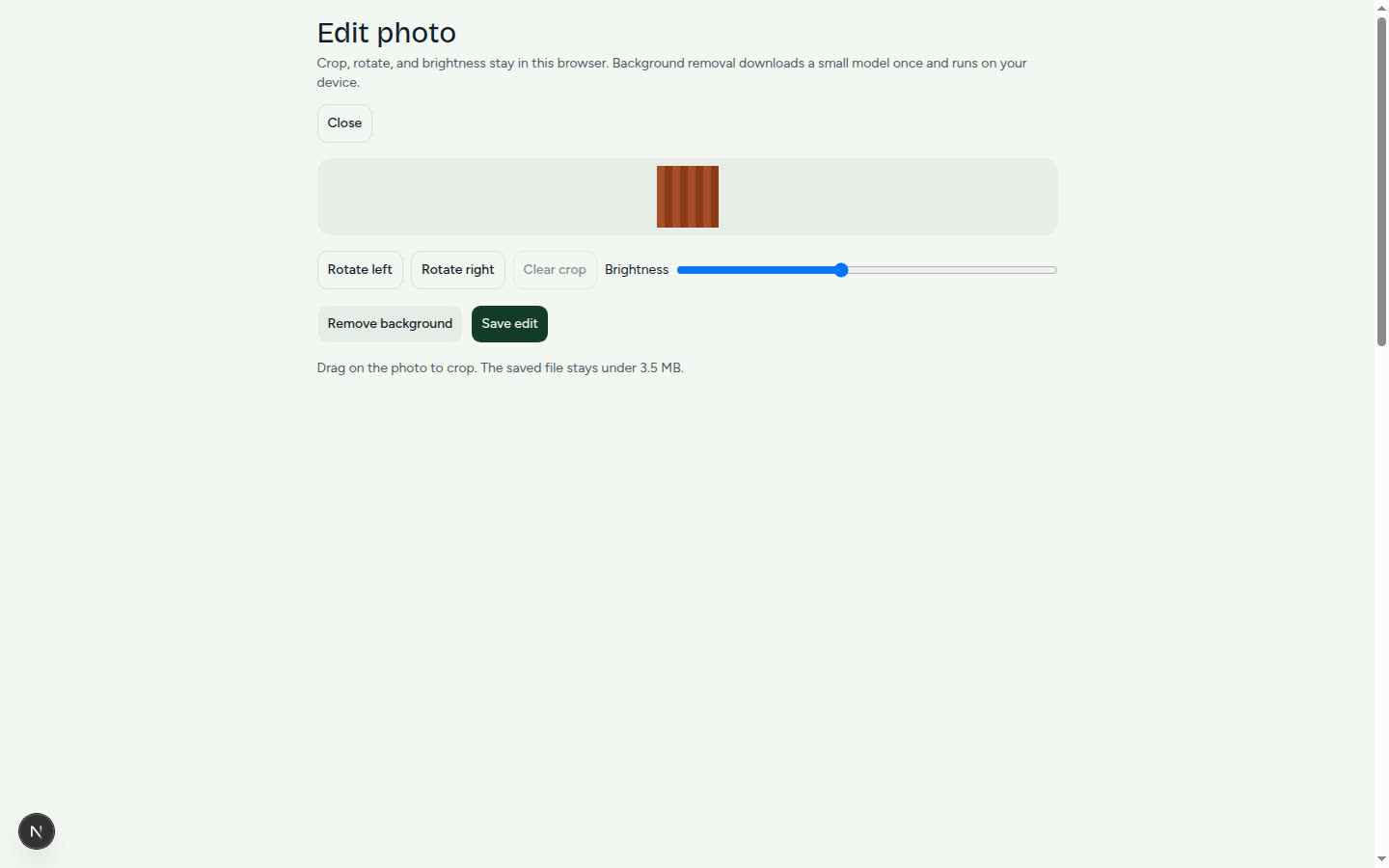
Crop, rotate, and lift the background

The photo editor runs in the browser. Crop, rotate, and brightness stay on the device. Background removal downloads a small model once and runs there too. The saved file is the one that uploads.

  • Photos are resized before upload
  • Cover photo is the first frame
  • The same set goes to every marketplace
OneDrop photo editor with crop, rotate, brightness, and remove background

Sales

Sales, profit, and a CSV

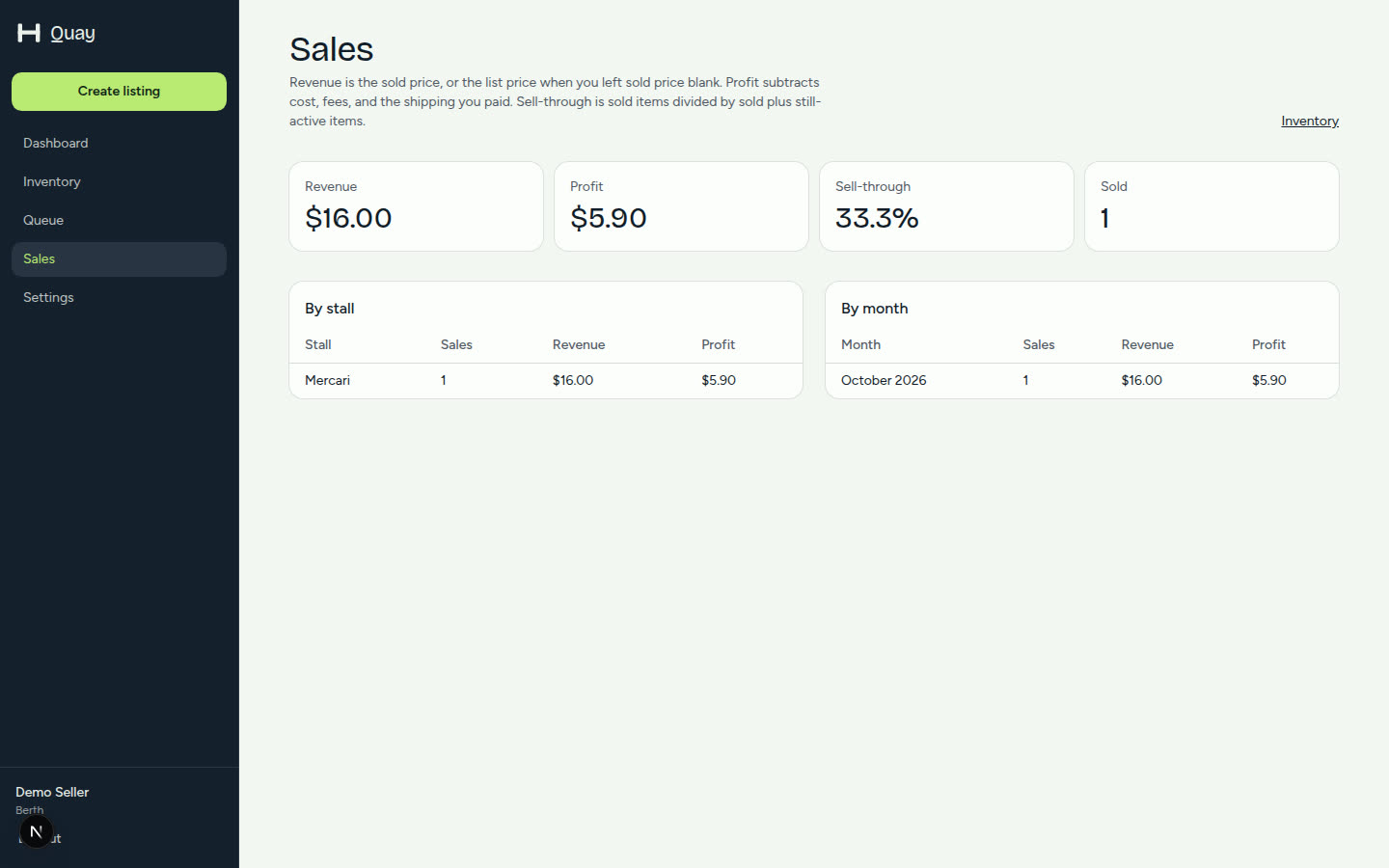
Sold rows keep the sold price, what you paid, fees, and shipping. The sales page totals revenue, profit, and sell-through by marketplace and by month. Export the sheet, or import one. The listing cap still applies.

  • CSV export, template, and import
  • Included on Free and on Pro
  • Your numbers, not a suggested price
OneDrop sales page with revenue, profit, and marketplace totals

On the phone

Install OneDrop on your home screen

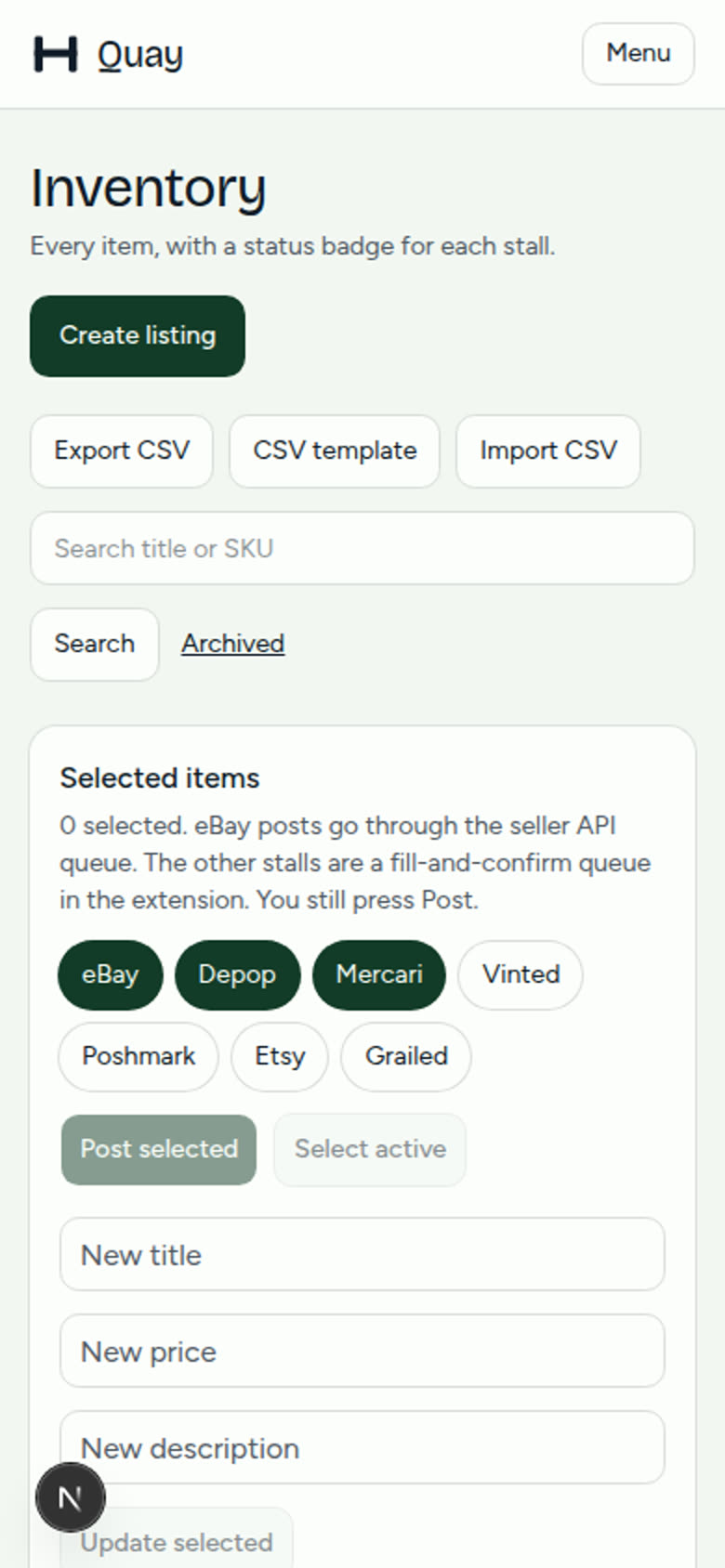
OneDrop is a web app you can install from the browser. Add it to the home screen, shoot a photo with the camera, and keep working the same account. There is no separate app-store build.

  • Works in the mobile browser
  • Camera capture on a new listing
  • Same login as the desk
OneDrop inventory on a phone-width screen

Free is $0. OneDrop Pro is $12 a month.

OneDrop Pro is $12 a month through Stripe Checkout. This server uses a Stripe test key, so a test card is not a live charge. The plan becomes OneDrop Pro when Stripe confirms the subscription.

Free

$0

  • 25 active listings
  • 25 AI drafts a month
  • eBay publish and browser fill on all seven marketplaces
  • Photo editor, sales stats, CSV, and items to remove
Start free

OneDrop Pro

$12 / month

  • 1,000 active listings
  • 300 AI drafts a month
  • Remove sold items from other sites, and CSV
  • Same editor, sales stats, and marketplaces as Free
Upgrade to OneDrop Pro

Opens Stripe Checkout after you create an account.

Questions

Does OneDrop post to Depop, Mercari, Poshmark, Vinted, Etsy, or Grailed for me?

No. Those marketplaces are filled in the browser where you are already logged in. You review the form and press Post or Publish. OneDrop does not run a headless browser, solve captchas, or store marketplace passwords. Etsy’s create-listing API needs a reviewed app, so the extension fills that editor too.

What does eBay get?

A listing through eBay’s official seller API, on the sandbox unless this server is set to production. Publishing, revising, ending, and the daily sold check use that connection. You reconnect from Settings after the eBay scopes change.

Will a sale take the item down everywhere?

A sale ends the eBay offer through eBay’s API. The other marketplaces are marked as items to remove. The extension opens the listing, and you confirm. OneDrop does not press delete or Post on its own. eBay sales are checked once a day, and you can press Sync now.

Do you suggest a price?

No. Price is yours. The draft helper is instructed never to invent a sold price, a retail price, or a currency amount, and the app strips money amounts if a model writes one in.

What is free, and what is $12?

Free holds 25 active listings and 25 AI drafts a month. OneDrop Pro is $12 a month for 1,000 active listings and 300 drafts a month. Removing sold items from other sites, and CSV, are included on both. OneDrop Pro is a Stripe subscription. The plan changes when Stripe confirms it, and you can cancel from Settings.

Can I use it on my phone?

Yes. Open OneDrop in the phone browser and add it to the home screen. The inventory, the listing form, and the camera capture are built for a narrow screen. The Chrome extension itself runs on desktop Chrome.

OneDrop — List once, post to eBay, Depop, Mercari, Poshmark, Vinted, Etsy, and Grailed